Resource icon
Summary
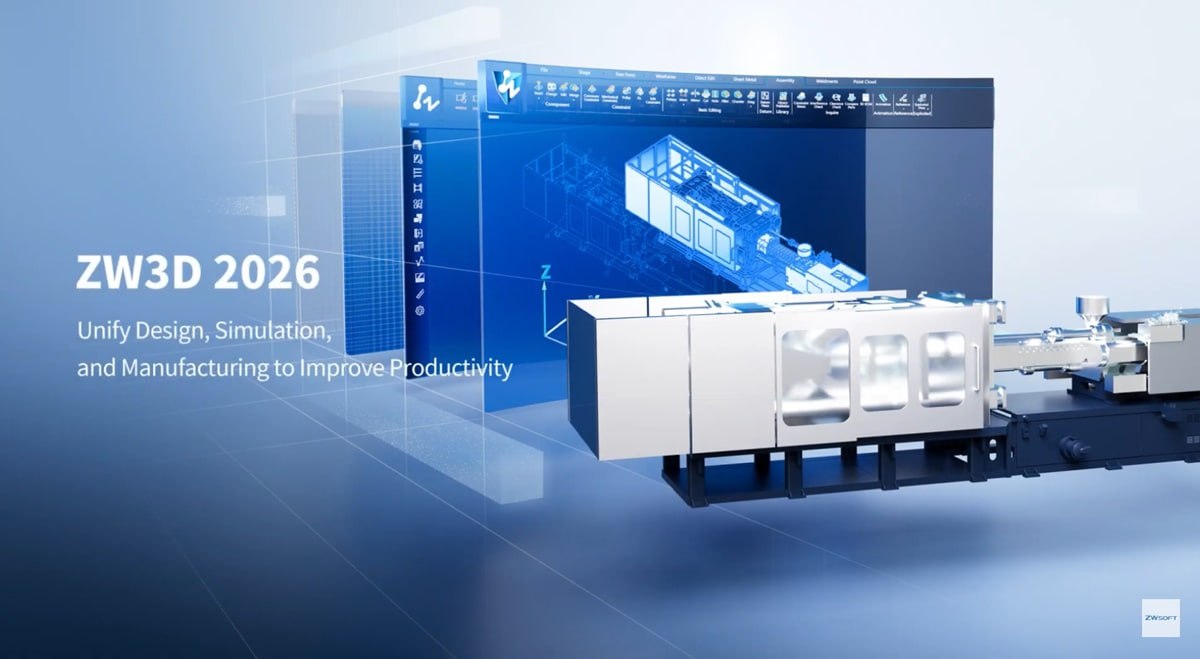
ZW3D 2026 SP2 (x64) Multilingual is an all-in-one CAx solution developed by ZWSOFT that integrates 3D modeling, simulation, and CNC machining into a unified environment. Unlike disconnected workflows that require separate tools for design, analysis, and manufacturing, ZW3D covers the entire product development lifecycle from concept to production within a single platform. The software is designed for engineers, designers, and manufacturers across industries including mechanical engineering, automotive, aerospace, mold making, and general machinery.Key Features
1. All-in-One CAD/CAE/CAM Platform
ZW3D combines 3D modeling, simulation, and CNC machining within a single environment. Users can move from concept design to structural analysis to toolpath generation without exporting files or switching applications. The 2026 release introduces CFD simulation for fluid and thermal analysis directly within the design workflow.
2. Parametric Modeling with Full Associativity
Design elements maintain full associativity throughout the workflow. When a 3D model is modified, related 2D drawings update automatically. This eliminates manual drawing revisions and reduces errors. Enhanced 2D-3D integration ensures that changes propagate seamlessly across all documentation.
3. General Machinery Design Tools
ZW3D 2026 introduces specialized features for general machinery design including new Thread, Slot, and Vent features. These tools accelerate structural feature creation, achieving a 100 percent increase in efficiency according to ZWSOFT.
4. Assembly Design with Smart Constraints
Smart constraint prediction suggests optimal constraint types based on selected objects, enhancing constraint operation efficiency by 50 percent. Users can duplicate multiple components while preserving constraints, boosting parts reuse efficiency by 80 percent for standard and frequently used components.
5. ZWTeammate for Product Data Management
ZWTeammate provides built-in collaboration and product data management. Teams can coordinate tasks, track revisions, and manage engineering data efficiently within the ZW3D platform. This streamlines collaborative design, data management, and data publishing.
6. 2D Drawing with Associative Updates
2D drawings are seamlessly linked to ZWCAD DWG/DXF drawings with real-time associative updates. This minimizes redundant drawing creation and annotation. Auto Dimension Stack Balloons and other features help users create desired 2D drawings more easily.
What’s New in ZW3D 2026 SP2
- Version 2026 SP2 delivers enhanced performance and new capabilities optimized for the general machinery industry.
- Newly added simulation and product data management modules take the all-in-one CAx solution to the next level.
- Enhanced productivity comes through 2D-3D associative updates, smarter assembly tools, and faster machining capabilities.
- Expanded features for general machinery include new Thread, Slot, and Vent features that accelerate structural feature creation.
- The next-level all-in-one solution unlocks seamless integration with ZW3D, Simulation, CAM, and ZWTeammate, fostering deeper collaboration across the entire product lifecycle.
- Key enhancements include parameter conversion with IPX 2.0 for seamless compatibility with leading CAD solutions, direct conversion of complex entities to sheet metal, smart constraint prediction for assembly design, associative updates to sync 2D drawings with 3D models, new area milling for faster machining, and ZWTeammate for product data management.
System Requirements
To run ZW3D 2026 SP2 (x64) effectively, your system should meet the following specifications.Minimum Requirements:
- Operating System: Windows 10 or Windows 11 (64-bit)
- Processor: Intel Core i3 or AMD equivalent (2.0 GHz or faster)
- RAM: 4 GB minimum
- Graphics: 1 GB dedicated GPU with OpenGL 3.2 support
- Storage: 10 GB available space
- Display: 1366 x 768 resolution or higher
Installation Guide
Follow these steps to install ZW3D 2026 SP2 (x64) Multilingual on your Windows system.- Obtain the Installer: Download the official ZW3D 2026 SP2 installer from the ZWSOFT website or your customer portal.
- Try Before You Buy: A version is available for evaluation. Test 3D modeling, assembly design, and CAM features before purchasing. [Insert your trial link here]
- Verify System Compatibility: Confirm your workstation meets the recommended requirements, particularly RAM and graphics for large assemblies and simulation.
- Close Other Applications: Close any other CAD or CAM software to avoid conflicts during installation.
- Run as Administrator: Right-click the installer file and select “Run as Administrator” to ensure proper installation.
- Select Language: Choose your preferred language from the multilingual options.
- Follow the Setup Wizard: The wizard will guide you through license acceptance, installation directory selection, and component choices (CAD, CAM, Simulation, ZWTeammate).
- Activate License: Launch ZW3D. Enter your license key or sign in to your ZWSOFT account. Trial users can begin immediately without activation.
- Configure Preferences: Set default units, template files, and workspace layout before starting your first project.
Best Use Cases
| Use Case | Application | Key Benefit |
|---|---|---|
| General Machinery Design | Thread, Slot, Vent features for mechanical components | 100% efficiency increase for structural feature creation |
| Mold Making and Tooling | Hybrid solid-surface modeling, non-solid mold parting | Complete solution from design to CNC |
| Sheet Metal Fabrication | Direct conversion of complex models to sheet metal | Preserves stamped structures, auto-drafting |
| Automotive Parts Design | Assembly design with smart constraints | 50% faster constraint operations, 80% faster parts reuse |
| Aerospace Components | CFD simulation for fluid and thermal analysis | Early validation without external software |
| Multi-CAD Environments | IPX 2.0 data conversion | Direct edit of CATIA, NX, Creo, Inventor, SolidWorks files |
Advantages and Limitations
Advantages:- ZW3D offers an all-in-one CAD/CAE/CAM solution that eliminates the need for multiple software licenses and reduces data translation errors.
- The perpetual licensing model is more cost-effective than subscription-only alternatives.
- The software runs efficiently even on lower-end workstations, reducing hardware costs.
- The hybrid solid-surface modeling kernel handles complex industrial design and mold making applications.
- IPX 2.0 data conversion provides high compatibility with other CAD formats, allowing direct editing of CATIA, NX, Creo, Inventor, and SolidWorks files.
- Smart constraint prediction and batch duplication of components with preserved constraints significantly speed up assembly design.
- The integrated CAM module with VoluMill reduces cycle time and tool costs. New CFD simulation capabilities add value without requiring external software.
Frequently Asked Questions
Q1. What is the difference between ZW3D and ZWCAD?ZWCAD is a 2D drafting software similar to AutoCAD. ZW3D is a complete 3D CAD/CAE/CAM solution for product design, simulation, and manufacturing. ZW3D includes 2D drawing capabilities but is focused on 3D modeling and CNC machining.
Q2. Does ZW3D support direct editing of other CAD formats?
Yes. Through the IPX 2.0 engine, ZW3D can read and directly edit 3D models from CATIA, NX, Creo, Inventor, and SolidWorks files. It also imports and exports STEP, STL, IGES, Parasolid, DWG, DXF, and SAT formats.
Q3. Is there a free trial available?
Yes. A free trial version is available for evaluation. Users can test 3D modeling, assembly design, CAM features, and simulation before purchasing.
Q4. What industries use ZW3D?
ZW3D is used in mechanical engineering, automotive, aerospace, mold making, general machinery, and manufacturing industries. The 2026 release includes specialized tools for general machinery design.
Q5. Does ZW3D include CAM for CNC machining?
Yes. ZW3D includes integrated CAM with toolpath generation from 2-axis to 5-axis machining. VoluMill is integrated for high-speed machining to reduce cycle time and tool costs.
Q6. What is ZWTeammate?
ZWTeammate is a product data management and collaboration module built into ZW3D. It allows teams to coordinate tasks, track revisions, and manage engineering data within the platform.
Q7. Does ZW3D support simulation and analysis?
Yes. ZW3D 2026 introduces CFD simulation for fluid and thermal analysis directly within the design environment. Structural analysis capabilities are also included.
Q8. Is ZW3D available on Mac or Linux?
No. ZW3D is Windows-only software (64-bit). It runs on Windows 10 and Windows 11.
Q9. What is the licensing model for ZW3D?
ZW3D uses a perpetual licensing model with flexible upgrade options. This is different from many competitors that require ongoing subscriptions.
Q10. Can ZW3D handle sheet metal design?
Yes. ZW3D includes sheet metal design capabilities including direct conversion of complex models to sheet metal, recognition of third-party files, preservation of stamped structures, and auto-drafting for sheet metal components.
Final Thoughts
ZW3D 2026 SP2 (x64) Multilingual represents a compelling all-in-one CAD/CAE/CAM solution for product design and manufacturing. By integrating 3D modeling, simulation, and CNC machining within a single platform, ZWSOFT has created a tool that eliminates the inefficiencies of disconnected workflows. The software delivers strong value across multiple dimensions. For the design engineer, hybrid solid-surface modeling and parametric associativity provide flexibility and accuracy.For the manufacturing engineer, integrated CAM with VoluMill reduces cycle time and tool costs. For the small to mid-sized business, perpetual licensing and efficient performance on lower-end workstations make high-end CAD accessible. For teams working with multiple CAD formats, IPX 2.0 data conversion provides seamless interoperability.
Home page
Note: This price Is For Single PC License. If You Want To Buy KeyGen Then You Have To Go On Telegram ID @playoutking
Our Paid Service
If you want to Purchase KeyGen Activator / Cracked Version /License Key
Contact Us on our :
Join Us For Update :
Join Us For Updated :
Crack Software Policies & Rules:
You Can test through AnyDesk before Buying,
And When You Are Satisfied, Then Buy It.
Lifetime Activation, Unlimited PCs/Users.
If you want to Purchase KeyGen Activator / Cracked Version /License Key
Contact Us on our :
Join Us For Update :
Join Us For Updated :
Crack Software Policies & Rules:
You Can test through AnyDesk before Buying,
And When You Are Satisfied, Then Buy It.
Lifetime Activation, Unlimited PCs/Users.