Summary
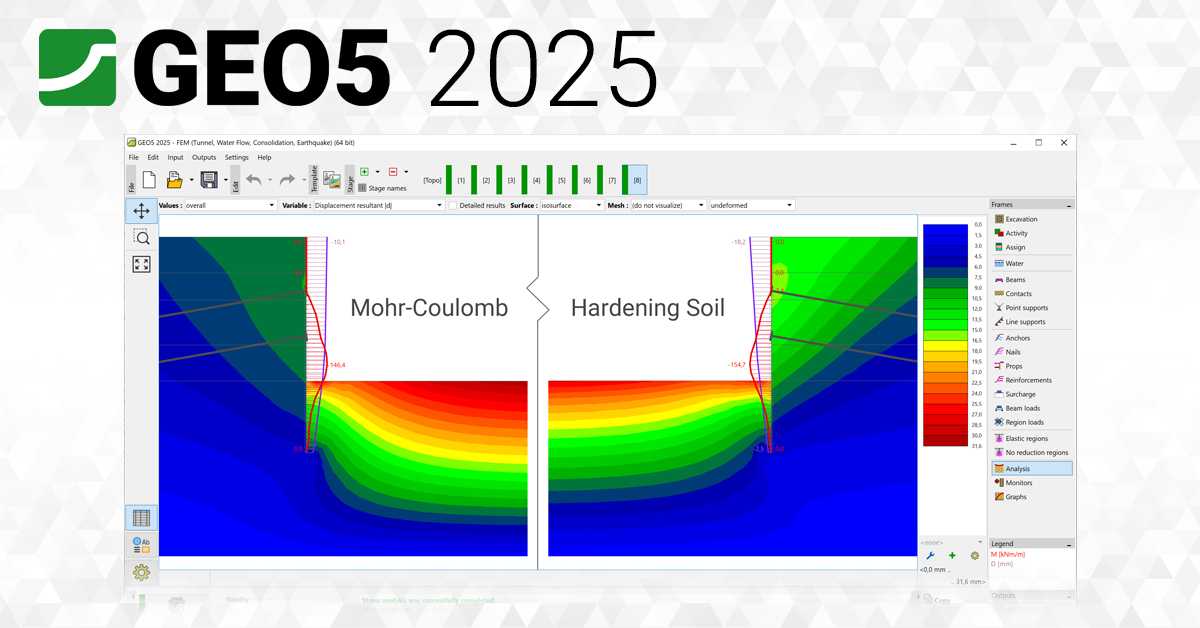
GEO5 2025 is a comprehensive suite designed for civil engineers, geotechnical specialists, and structural designers working on foundations, slopes, tunnels, retaining walls, and underground structures. Unlike monolithic engineering platforms that force users into rigid workflows, GEO5 offers a collection of stand-alone programs each tailored to a specific structure type while maintaining a unified user interface that enables seamless communication between modules.GEO5 Screenshots With Offline Edition
Key Features
GEO5 distinguishes itself through a modular architecture that covers the full spectrum of geotechnical analysis while maintaining consistency across all programs.1. Stand-Alone Modular Programs
Each GEO5 program addresses a specific geotechnical challenge:- Spread Footing: Shallow foundation design and settlement analysis
- Pile CPT: Deep foundation design using CPT, SPT, and PMT data
- Sheeting Check and Sheeting Design: Retaining wall and excavation support analysis
- Tunnel Program: NATM and SEM based tunnel design with ground loss modeling
- Stratigraphy: 3D subsurface modeling from borehole and CPT data
- FEM Module: Advanced finite element analysis for complex soil-structure interaction
- Gabion and MSE Wall: Reinforced soil structure design
- Prefab Wall: Modular retaining wall systems
2. Unified User Interface
Despite the modular structure, all programs share a consistent interface. This uniformity means that learning one module builds proficiency across the entire suite. Data transfers seamlessly between programs, enabling workflows that progress from Stratigraphy modeling to Spread Footing design to FEM verification without redundant data entry.
4. Field Test Data Integration
It imports and interprets data from common in-situ testing methods:- SPT (Standard Penetration Test)
- CPT (Cone Penetration Test)
- DMT (Flat Dilatometer Test)
- PMT (Pressuremeter Test)
5. Material Catalogs and Manufacturer Libraries
Access verified material parameters from integrated catalogs:- Geosynthetics: Titan, Gewi, Tenax, Hyper Fibers (geogrids, meshes, nails)
- Retaining wall systems: Verti-Crete, Mlion Corporation, Trumer Schutzbauten
- Prefabricated blocks: Multiple manufacturer libraries for modular walls
Checks include shear resistance, internal stability, overturning, sliding, and bearing capacity.7. Stratigraphy and 3D Subsurface Modeling
The Stratigraphy module builds detailed 3D geological models from:- Borehole surveys and soil profiles
- CPT and pressuremeter data
- Public geological sources
- Field-collected data via the Data Collector app
8. FEM Consolidation and Advanced Material Models
The FEM module supports complex geotechnical analyses including:- Beam, surface, and contact elements
- Nonlinear material models (softening, hardening)
- Cyclic loading simulation
- Ground loss modeling for urban tunneling
- Overburden analysis using Laminate and Lambda methods
10. Spread Footing CPT Integration
Shallow foundation analysis directly imports CPT results to calculate:- Bearing capacity and settlement
- Internal forces and reaction distribution
- Schmertmann’s theory for settlement verification
- Modulus-based soil reaction modeling
11. Laboratory Module and Field Data Collection
The Laboratory module integrates with the Data Collector app (available on the App Store) to sync:- Cohesive soil test results
- Compressive strength data
- Buckling checks
- Audio recordings, photos, and videos from field investigations
What’s New in GEO5 2025
The 2025 release introduces several significant enhancements across licensing, modeling, and data integration.- The new cloud-based license system is the most prominent change. Users can now activate GEO5 on any computer with an internet connection, transfer licenses temporarily for remote work, and manage license assignments based on project needs rather than fixed hardware.
- The Stratigraphy module now offers improved 3D visualization, faster cross-section generation, and better integration with public geological data sources.
- Manufacturer libraries for geosynthetics and retaining wall systems have been expanded and updated to include the latest product specifications.
- The FEM Consolidation module includes new material models for cyclic loading and improved contact element behavior for soil-structure interaction.
- Pile CPT and Spread Footing CPT modules now support additional CPT data formats and offer refined bearing capacity calculations.
System Requirements
To run GEO5 2025 effectively, your system should meet the following specifications.Minimum Requirements:
- Operating System: Windows 10 or Windows 11 (64-bit)
- Processor: Intel Core i5 or AMD equivalent (2.0 GHz or faster)
- RAM: 8 GB minimum
- Graphics: Integrated graphics with support for OpenGL 3.3
- Storage: 10 GB of available space (SSD recommended)
- Display: 1366 x 768 resolution or higher
- Internet: Required for Fine Cloud License activation and updates
Installation Guide
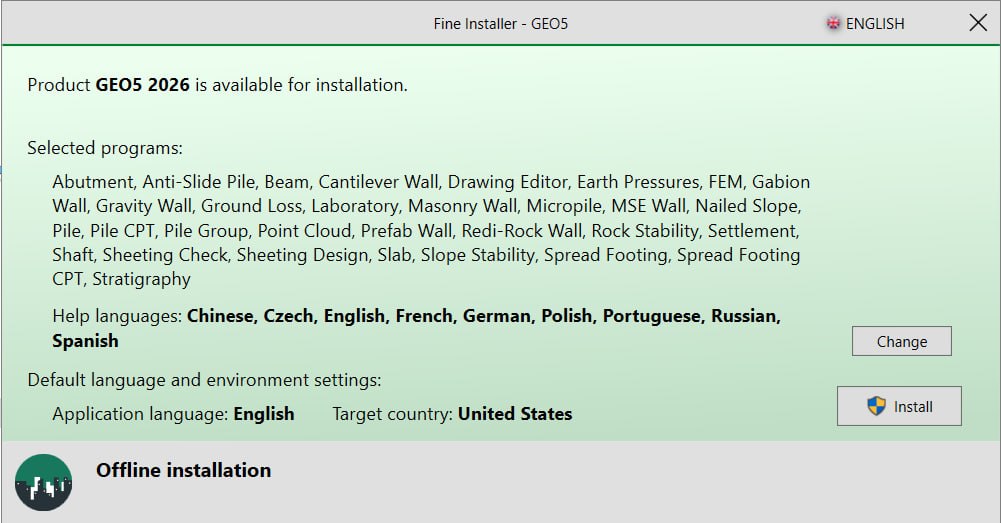
Follow these steps to install GEO5 2025 on your Windows system.- Obtain the Installer: Download the official GEO5 2025 installer from the Fine software website or your authorized distributor portal.
- Try Before You Buy: A is available for evaluation purposes. You can test individual modules including Spread Footing, Pile CPT, and Stratigraphy before purchasing.
- Verify System Compatibility: Confirm that your workstation meets the minimum system requirements, particularly for RAM and storage if working with large FEM models.
- Run as Administrator: Right-click the installer file and select “Run as Administrator” to ensure proper installation.
- Follow the Setup Wizard: The wizard will guide you through license acceptance, installation directory selection, and module choices. You can install the full suite or select specific programs.
- Configure Fine Cloud License: During first launch, set up your Fine Cloud License. Choose between cloud activation, temporary transfer, or hardware key assignment based on your work pattern.
- Set Up Offline Access (Optional): If you work on remote sites, transfer a license to your hardware key or configure offline mode before disconnecting from the internet.
- Install Data Collector App (Optional): For field data collection, download the Data Collector app from the App Store and sync with your GEO5 Laboratory module.
How to Use GEO5 2025
Mastering GEO5 involves understanding the workflow from field data collection to final design verification.Step 1: Collect and Import Field Data
Use the Data Collector app to gather borehole logs, CPT results, and laboratory tests. Sync this data with the Laboratory module. Import SPT, CPT, DMT, or PMT files directly into the appropriate analysis module.Step 2: Build Subsurface Model
Open the Stratigraphy module. Import borehole surveys, soil profiles, and CPT data. Generate 3D geological models and 2D cross sections. Use Point Cloud editing to clean terrain visuals. Export to DWG or DXF for integration with CAD platforms.Step 3: Select Analysis Module
Choose the program that matches your structure type:- Spread Footing for shallow foundations
- Pile CPT for deep foundations and pile groups
- Sheeting Check/Design for retaining walls and excavations
- Tunnel for underground structures
- FEM for complex soil-structure interaction
Step 5: Run Analysis and Verify
Perform calculations for bearing capacity, settlement, overturning, sliding, and internal stability. For complex cases, use FEM Consolidation with nonlinear material models. Verify results against standard requirements.Step 6: Document and Export
Export calculation results to tables. Generate DWG or DXF files for construction drawings. Share LandXML files with project teams. Print customizable logs from the Laboratory module.Best Use Cases
It serves multiple geotechnical engineering disciplines and project types.- Structural engineers use Spread Footing and Spread Footing CPT modules to design foundations for buildings, bridges, and industrial structures. Direct CPT import enables load-settlement analysis using Schmertmann’s theory. The software handles strip footings, slab foundations, and foundation rafts under uniform or non-uniform column loads.
- Pile CPT and Pile Group modules support driven piles, bored piles, and RC piles. Users analyze single piles or pile groups under vertical and lateral loads. Spring method and load-settlement curve verification ensure design precision.
- Sheeting Check and Sheeting Design modules analyze cantilever and anchored retaining walls. Users model undrained and consolidated conditions, check overturning and internal anchor stability, and verify strength under various loading theories. Prefab Wall and Gabion modules support modular retaining systems.
- The Tunnel program supports NATM (New Austrian Tunneling Method) and SEM (Sequential Excavation Method) designs. FEM module models ground loss in urban areas using beam, surface, and contact elements. Overburden analysis uses Laminate and Lambda methods.
- Reinforced embankment and nailed slope modules analyze slope stability with geosynthetic reinforcement. Users customize reinforcement patterns, assign load curves, and verify strength conditions for cohesive and non-cohesive soils.
- Stratigraphy and Laboratory modules transform field data into actionable geological models. Engineers create 3D subsurface visualizations, generate cross sections, and produce professional logs for client deliverables.
Advantages and Limitations
Understanding the strengths and constraints of this software helps organizations select the right tool for their needs.Advantages:
- Modular Flexibility: Purchase only the modules you need. Add capabilities as project requirements expand. Each program is fully functional independently yet integrates seamlessly with others.
- Unified Interface: Consistent workflows across all modules reduce training time and increase productivity. Data transfers between programs without reformatting or re-entry.
- Field Data Integration: Direct import of SPT, CPT, DMT, and PMT data eliminates manual transcription errors. The Data Collector app bridges field and office workflows.
- Manufacturer Material Catalogs: Verified parameters from Titan, Gewi, Tenax, Hyper Fibers, Verti-Crete, Mlion, and Trumer reduce design uncertainty and save time.
- Cloud License Flexibility: Fine Cloud License adapts to individual practitioners, small teams, and enterprise organizations. Work offline, transfer licenses, or assign permanently all from the same license.
- International Standard Compliance: Support for Russian (SP), German (DIN), European (Eurocode), and Spanish (CTE) standards enables global project execution.
- Comprehensive Output: Export to DWG, DXF, LandXML, and table formats for integration into documentation and BIM workflows.
Alternatives to GEO5
Depending on your specific needs, budget, and preferred workflow, several alternatives exist in the geotechnical software space.| Software | Best For | Key Difference from GEO5 |
|---|---|---|
| PLAXIS | Advanced FEM analysis | Stronger for complex soil behavior but steeper learning curve and higher cost |
| GeoStudio (Seequent) | Slope stability and seepage | Excellent for unsaturated soil problems but less comprehensive foundation design |
| SoilVision | Laboratory data management | Superior database capabilities but fewer structural modules |
| Slide3 (Rocscience) | 3D slope stability | Specialized for slopes, less coverage of foundations and tunnels |
| FLAC (Itasca) | Advanced geomechanics | Powerful for rock mechanics but significantly more complex |
| CivilFEM (Dlubal) | Integrated structural-geotechnical | Better for structural engineers, less depth in soil-specific analysis |
Frequently Asked Questions
What is the Fine Cloud License in GEO5 2025?The Fine Cloud License is a cloud-based license management system that allows activation on any PC with an internet connection. Users can transfer licenses temporarily, assign them permanently to hardware keys, or work offline, with management options that vary by customer type.
Can GEO5 import CPT and SPT data directly?
Yes. GEO5 directly imports field test data from CPT, SPT, DMT, and PMT. The Spread Footing CPT and Pile CPT modules use this data for bearing capacity, settlement, and load-settlement analysis.
Does GEO5 include manufacturer material catalogs?
Yes. Integrated catalogs include Titan, Gewi, Tenax, and Hyper Fibers for geosynthetics, plus Verti-Crete, Mlion Corporation, and Trumer Schutzbauten for retaining wall systems.
What standards does GEO5 support?
GEO5 supports SP 24.13300.2021 (Russian), DIN 4023:2023 (German), EN 1992-1-1 (Eurocode 2), and CTE-DB SE-C (Spanish), among others.
Is there a free trial available?
Yes. A free trial version is available for evaluation. You can test individual modules including Spread Footing, Pile CPT, and Stratigraphy before purchasing.
Can I use GEO5 offline?
Yes. With the Fine Cloud License, you can transfer a license to a hardware key or configure offline mode before disconnecting from the internet. This is ideal for remote site work.
What is the Data Collector app?
The Data Collector app (available on the App Store) collects field data including borehole logs, CPT results, photos, and audio recordings. Data syncs directly with the GEO5 Laboratory module.
Does GEO5 include FEM analysis?
Yes. The FEM module supports advanced finite element analysis with beam, surface, and contact elements, nonlinear material models, and cyclic loading simulation.
What export formats does GEO5 support?
GEO5 exports to DWG, DXF, LandXML, and table formats. Stratigraphy models export as 3D visualizations, and calculation results export as formatted tables.
Can GEO5 model tunnel construction?
Yes. The Tunnel program supports NATM and SEM based designs. The FEM module models ground loss in urban areas using overburden analysis with Laminate and Lambda methods.
Final Thoughts
GEO5 2025 Geotechnical Software Suite represents a mature, flexible, and professionally verified platform for geotechnical engineering. Its modular architecture offering stand-alone programs for spread footings, piles, retaining walls, tunnels, slopes, and stratigraphy allows practitioners to build a toolset that matches their specific practice areas without paying for unnecessary capabilities.The software delivers value across the entire geotechnical workflow. For the field engineer, the Data Collector app and Laboratory module transform site investigations into structured, queryable data. For the design engineer, direct CPT/SPT import, manufacturer material catalogs, and international standard compliance accelerate analysis while maintaining accuracy. For the firm owner, the Fine Cloud License system provides deployment flexibility that adapts to team structures, remote work patterns, and project-based staffing.
Home page
Note: This price Is For Single PC License. If You Want To Buy KeyGen Then You Have To Go On Telegram ID @playoutking
Our Paid Service
If you want to Purchase KeyGen Activator / Cracked Version /License Key
Contact Us on our :
Join Us For Update :
Join Us For Updated :
Crack Software Policies & Rules:
You Can test through AnyDesk before Buying,
And When You Are Satisfied, Then Buy It.
Lifetime Activation, Unlimited PCs/Users.
If you want to Purchase KeyGen Activator / Cracked Version /License Key
Contact Us on our :
Join Us For Update :
Join Us For Updated :
Crack Software Policies & Rules:
You Can test through AnyDesk before Buying,
And When You Are Satisfied, Then Buy It.
Lifetime Activation, Unlimited PCs/Users.